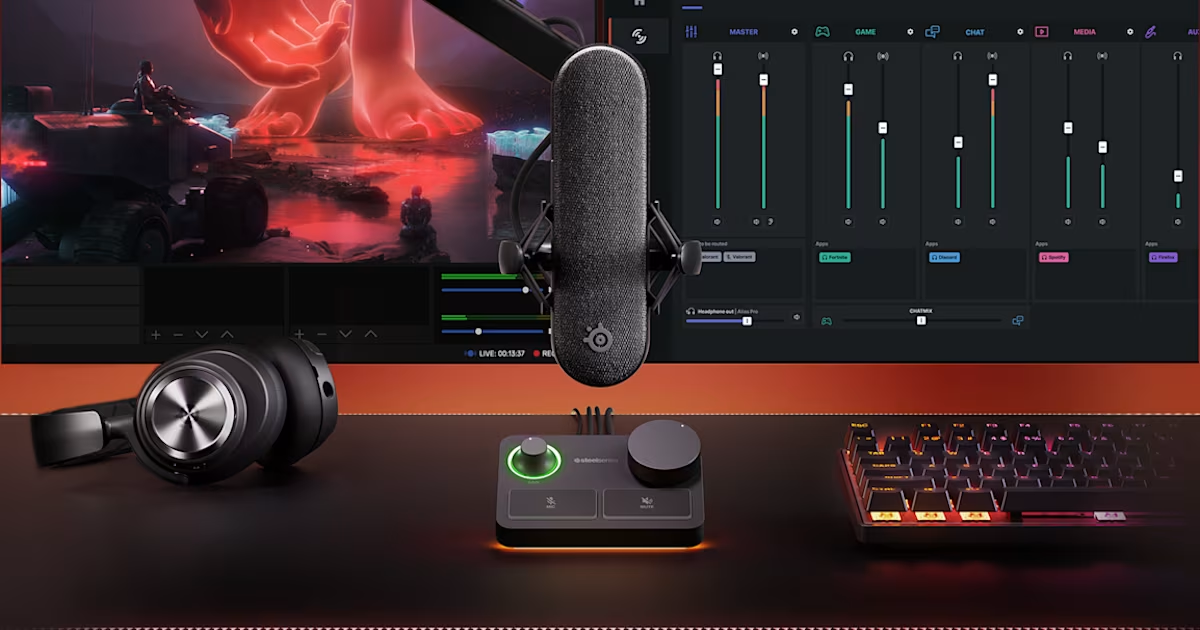
The Unseen Hero: Why Your Microphone Matters More Than You Think
You've curated the perfect game library, mastered your streaming software, and cultivated a vibrant personality that keeps viewers engaged. But there's one critical component that can elevate your stream from amateur hour to a professional broadcast: your audio. In the fast-paced world of live content, viewers are notoriously quick to click away from streams with poor sound quality, even if the video is pristine. Your voice is your most powerful tool, directly connecting you with your audience. To truly stand out and build a loyal following, investing in a broadcast quality streaming microphone isn't just an upgrade—it's an absolute necessity.
Achieving crystal-clear audio can seem daunting with a barrage of technical terms like "condenser," "dynamic," "XLR," and "cardioid." But don't fret! This comprehensive guide is designed to demystify the world of streaming microphones, helping you understand the fundamental differences between condenser and dynamic mics, and guiding you towards making an informed choice that delivers exceptional sound for your specific setup and budget. Let's unlock the secrets to sounding like a pro.
Dynamic vs. Condenser Microphones: The Fundamental Showdown for Streaming Audio
When selecting a broadcast quality streaming microphone, the first and most crucial decision you'll face is choosing between a dynamic and a condenser microphone. This isn't about one being inherently "better," but rather about which type is best suited for your unique streaming environment.
Understanding the Mechanics: How They Capture Your Voice
- Dynamic Microphones: The Workhorse for Challenging Environments
Dynamic mics operate on a principle similar to a tiny speaker working in reverse. Sound waves cause a thin diaphragm, attached to a voice coil, to vibrate within a magnetic field. These vibrations generate an electrical signal. Because they require more sound energy to move the diaphragm, dynamic microphones are inherently less sensitive. This robustness makes them incredibly durable and resistant to handling noise, making them a staple for live performances and noisy environments. They excel at picking up sound directly in front of them while effectively rejecting ambient noise.
Ideal for: Streamers in untreated rooms, those with background noise (keyboard clicks, fan hum, open windows), multi-person setups, or gamers who tend to be loud. Their ability to focus on the primary sound source helps keep your voice clear amidst common streaming distractions.
- Condenser Microphones: The Studio Standard for Detail and Nuance
Condenser microphones utilize a thin, electrically charged diaphragm positioned very close to a metal backplate. Sound waves cause the diaphragm to vibrate, changing the distance between it and the backplate, which in turn alters the electrical capacitance. This change is then converted into an audio signal. Condenser mics are incredibly sensitive and can capture a wider frequency range and finer details in sound, which is why they are the go-to choice in professional recording studios for vocals and intricate instruments.
Ideal for: Streamers in acoustically treated rooms with minimal background noise, those seeking a rich, detailed, and natural vocal tone, or for recording instruments. Their sensitivity means they will pick up everything – a blessing in a quiet space, but a curse in a noisy one.
The key takeaway? If you stream from an untreated room with potential background noise, a dynamic microphone like the FIFINE AM8 or FIFINE AM8T (which offers excellent noise rejection) might be your best bet for achieving clear, focused audio. If you have a quieter, more controlled environment, a condenser like the Blue Yeti or HyperX QuadCast S can capture the subtle nuances of your voice with stunning clarity, delivering that coveted broadcast quality streaming microphone sound.
Key Specifications for True Broadcast Quality Streaming Microphones
Beyond the dynamic vs. condenser debate, several technical specifications are paramount for a microphone to deliver true broadcast quality streaming microphone audio. Understanding these will help you discern a truly professional mic from a merely adequate one.
- Frequency Response (e.g., 50Hz-20kHz): This range indicates the spectrum of sound frequencies a microphone can accurately capture. Human hearing typically spans 20Hz-20kHz. A frequency response of 50Hz-20kHz is excellent for streaming, ensuring your voice is captured with full body (lower frequencies) and crisp articulation (higher frequencies). Anything significantly narrower might make your voice sound thin or muffled.
- Signal-to-Noise Ratio (SNR - e.g., 80dB+): The SNR measures how much cleaner the desired audio signal is compared to the inherent electrical noise (hiss) generated by the microphone itself. A higher SNR (80dB or more is ideal for professional streaming) means your audio will be clearer with less distracting background hiss, making your voice stand out. The FIFINE AM8T, for instance, boasts an impressive 80dB SNR, contributing significantly to its professional flexibility.
- Polar Patterns: Directing Your Sound Capture
- Cardioid: This is the most common and generally recommended pattern for streamers. It picks up sound primarily from the front, rejecting sound from the sides and rear. This focused pickup is crucial for isolating your voice and minimizing ambient room noise or keyboard clicks.
- Omnidirectional: Captures sound equally from all directions. Useful for group discussions or capturing ambient room sound, but generally not ideal for single-person streaming in untreated rooms due to high background noise pickup.
- Bidirectional (Figure-8): Picks up sound equally from the front and rear, while rejecting sound from the sides. Ideal for two-person interviews conducted across from each other.
- Stereo: Uses two capsules to capture a wider sound image, similar to how human ears perceive sound direction. Found in some advanced USB mics like the Blue Yeti.
For most solo streamers aiming for broadcast quality streaming microphone sound, a cardioid pattern is your best friend. Microphones with multiple switchable patterns, like the Blue Yeti or HyperX QuadCast S, offer fantastic versatility.
- Connectivity (XLR vs. USB):
- USB Microphones: Plug-and-play simplicity, directly connecting to your computer. Great for beginners, offering excellent sound quality without extra gear.
- XLR Microphones: Connect via an XLR cable to an audio interface or mixer. This setup provides superior signal integrity, more control over gain and processing, and typically unlocks the true potential for a fully professional, broadcast quality streaming microphone setup.
Some microphones, like the FIFINE AM8T, offer dual XLR/USB connectivity, providing the best of both worlds – ease of use for beginners and an upgrade path for serious streamers.
Top Picks for Achieving Broadcast Quality Streaming Audio
Based on extensive testing and user feedback, certain microphones consistently deliver exceptional performance, offering that coveted broadcast quality streaming microphone experience for various budgets and needs:
- FIFINE AM8T: The Versatile Pro-Grade Budget Option
The FIFINE AM8T is a standout choice for budget-conscious streamers seeking professional-grade audio without compromise. Its dual XLR/USB connectivity offers unparalleled flexibility, adapting to simple plug-and-play setups while providing a clear upgrade path for future audio interfaces. With its cardioid polar pattern, it delivers crystal-clear vocal reproduction, focusing on your voice and effectively rejecting unwanted room noise. This microphone is a testament that achieving broadcast-quality audio doesn't have to break the bank.
- Blue Yeti: The USB Broadcast All-Rounder
The Blue Yeti has long been a favorite, and for good reason. Its unique three-capsule array delivers remarkably rich, broadcast-quality audio, especially impressive for a USB microphone. With four switchable pickup patterns (cardioid, omnidirectional, bidirectional, and stereo) and onboard controls for gain, pattern selection, and headphone volume, it offers incredible versatility for various streaming applications, from solo commentary to interviews. It's a fantastic choice for those who want professional sound without diving into complex XLR setups.
- HyperX QuadCast S: Aesthetic Appeal Meets Excellent Performance
For streamers who value both stunning visuals and superior sound, the HyperX QuadCast S is an excellent option. Beyond its customizable RGB lighting, it boasts four polar patterns (cardioid, omnidirectional, bidirectional, and stereo) and incorporates effective built-in noise reduction. This makes it a visually engaging microphone that delivers clear, engaging audio, perfect for creating an immersive streaming experience. The accessible tap-to-mute sensor with LED indicator is a thoughtful touch for live content creators.
- HyperX SoloCast: The Compact, High-Resolution Performer
If budget and desk space are concerns, the HyperX SoloCast proves that great things come in small packages. This compact USB microphone offers impressive 24-bit/96kHz recording capability, ensuring a high-resolution audio capture that belies its affordable price point. With a focused cardioid polar pattern and a convenient tap-to-mute function, it delivers clear, concise audio for streamers who prioritize performance over frills.
Many microphones in the mid-range ($100-$150) offer an optimal balance of professional audio quality, ease of setup, and long-term reliability. When choosing, always consider essential specifications like a 50Hz-20kHz frequency response, an 80dB+ signal-to-noise ratio, and a cardioid polar pattern for that truly crystal-clear audio.
Pro Tips for Optimizing Your Streaming Audio Beyond the Mic
Even the best broadcast quality streaming microphone won't sound perfect without proper setup and optimization. Here are some actionable tips to truly elevate your audio:
- Microphone Placement is Key: Position your microphone close to your mouth (ideally 4-6 inches away) to minimize room reflections and maximize direct vocal capture. Use a boom arm to avoid transferring desk vibrations directly into your audio. Experiment with angles to find the sweet spot that captures your voice best while minimizing plosives (harsh P and B sounds).
- Mind Your Acoustics: Even small improvements can make a big difference. Add soft furnishings like curtains, rugs, or even blankets to walls to absorb sound and reduce echo. This creates a drier, more controlled sound environment that benefits any microphone.
- Proper Gain Staging: Set your microphone's gain (input level) correctly. Too low, and you'll be quiet; too high, and you'll "clip" (distort) your audio. Aim for your audio levels to peak around -6dB to -10dB on your streaming software's meter, leaving headroom for unexpected loud moments.
- Utilize Software Tools Wisely: Most streaming software (OBS, Streamlabs) offers built-in audio filters. A noise gate can silence your mic when you're not speaking, reducing background noise. A light compressor can even out your vocal dynamics, making your voice sound more consistent and polished.
- Monitor Your Audio: Always wear headphones to listen to your own audio feed. This allows you to catch issues like static, clipping, or background noise in real-time and make immediate adjustments.
By combining the right microphone choice with these optimization techniques, you're well on your way to delivering unparalleled professional sound that truly captivates your audience.
Conclusion: Invest in Your Voice, Elevate Your Stream
The choice between a condenser and a dynamic microphone, along with understanding key specifications, is fundamental to unlocking crystal-clear streaming audio. Whether your environment calls for the focused rejection of a dynamic mic or the detailed sensitivity of a condenser, making an informed decision is the first step towards achieving a truly broadcast quality streaming microphone setup. Remember, your voice is your brand. By investing in the right equipment and refining your audio setup, you're not just buying a microphone; you're investing in your audience's experience and the future success of your stream. Sounding professional is no longer a luxury—it's an expectation, and with this guide, you have the knowledge to meet it head-on.